English to Spanish Video Translator hear any English video in Spanish, while it plays.
DubTab dubs the speaker into Spanish with an AI voice and keeps translated subtitles on screen while the video runs — for a parent, a class, a team, or your own Spanish practice. Nothing to upload, nothing to wait for.
Free 15-minute trial · No credit card · Works on videos without subtitles

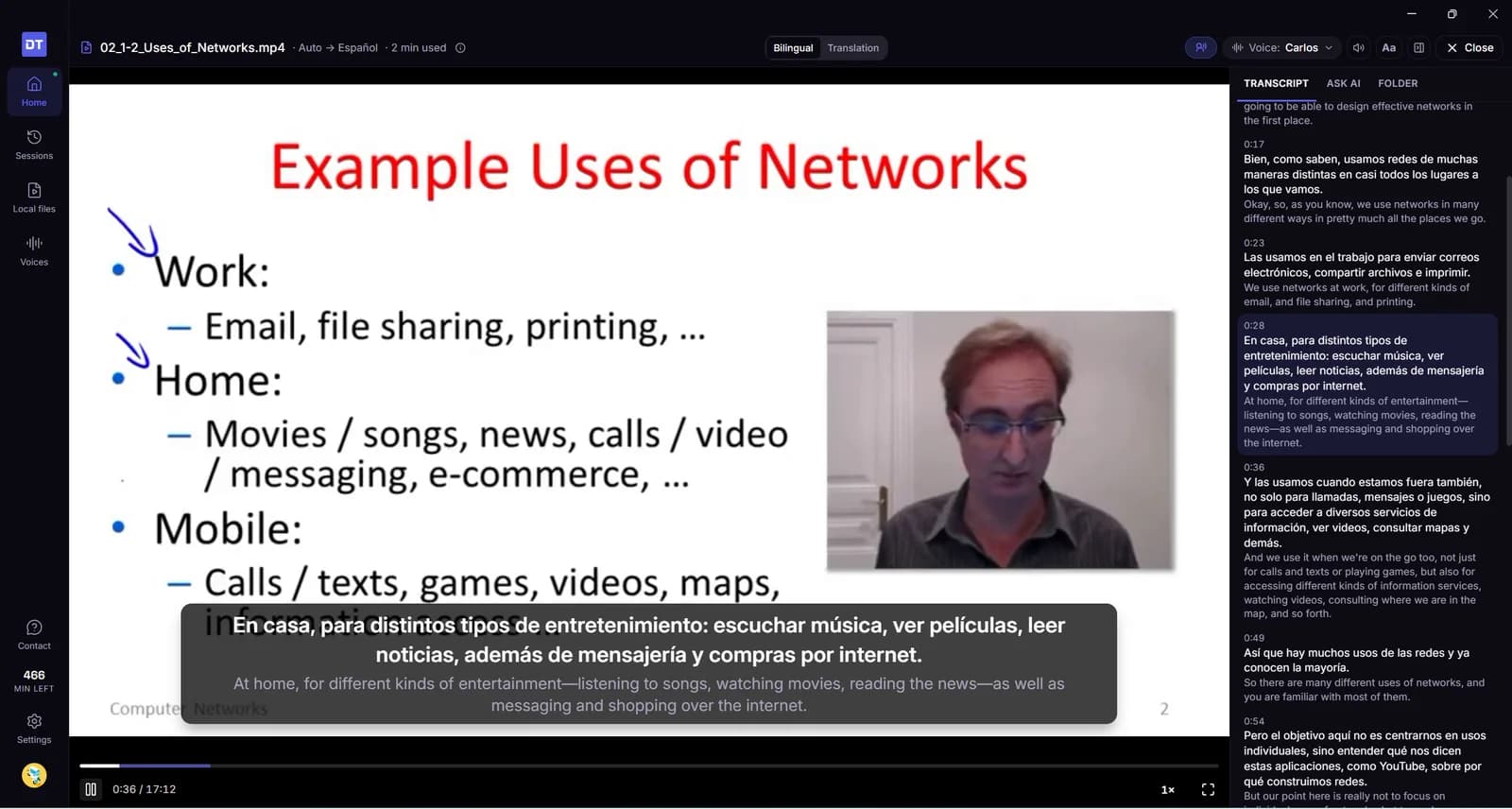
An English live stream, dubbed into Spanish in real time — same video, same tab.
Sharing an English video with a Spanish speaker, today
You pause every minute to explain what was said — and half of it gets lost in your summary.
YouTube's auto-translated subtitles only exist when the video already has English captions, and they're text only.
Upload tools want the file: download, upload, wait for a render — impossible for a live stream or a course you don't own.
A Spanish AI voice dubs the speaker while the video plays — you both just watch.
No subtitles needed: DubTab listens to the audio itself, so any English video works, live or not.
English and Spanish subtitles side by side, if someone wants to follow both.
Translate an English video to Spanish in 3 clicks
1. Add DubTab to Chrome
One click from the Chrome Web Store — the free trial is included.
2. Open the English video
A class, a podcast, a stream, a tutorial — on any site that plays audio, in the same tab as always.
3. Pick Spanish and press Start
The AI voice and translated subtitles start within seconds and follow the speaker for the whole video.
Who watches English videos in Spanish
The people around you don't all speak English — and the video you want to share almost always is.
Family who prefer Spanish
Play the news clip, the how-to or the school video for a parent or grandparent — in Spanish, without you narrating over it.
Classrooms with Spanish speakers
Show an English lecture or documentary to students who are still learning English — they hear Spanish while they watch.
Teams and new hires
Training videos and all-hands recordings in English, played in Spanish for the people who need them — no re-recording.
Learning Spanish
Watch content you already understand with a Spanish dub and bilingual subtitles — the fastest way to hear how a familiar idea sounds in Spanish.
Live streams and events
Product launches, gaming streams and talks — dubbed into Spanish while they happen, no waiting for the replay.
Podcasts and interviews
Long English conversations, dubbed into Spanish — play them in the background for the people who'd rather listen than read.
Have the video as a file?
A lesson, a recording or a film saved on your computer plays in the DubTab desktop app with a Spanish voice — prepared a little ahead, so it stays in sync with the picture. The file is never uploaded, and nothing is exported.
Drop the file in
MP4, MKV, MOV or WebM — or a whole folder of lessons. Pick Spanish and press play; it starts within seconds.
In sync with the picture
The Spanish voice is prepared a little ahead of where you are, so it keeps pace with the speaker — easy to watch together on one screen.
Replay it for free
Parts already prepared play again for free on the same computer, so a lesson you play twice is only charged once.
The file stays on your computer — it isn't uploaded, and the picture is never sent.
Isn't there already a way to get an English video in Spanish?
Sometimes — and when there is, use it. Here's where each option stops, and where DubTab starts.
| What you have today | English → Spanish, what it gives you | DubTab |
|---|---|---|
| An official Spanish dub (YouTube, Netflix…) | Use it — it's built into the player | ✓ Adds bilingual subtitles on top, if you want them |
| YouTube auto-translated subtitles | Only when the video has English captions — and text only | ✓ Dub + subtitles, with or without captions |
| YouTube auto-dubbing | The creator decides; many videos don't qualify | ✓ Any video — you switch it on |
| Upload-and-render translators | Download, upload, wait — and only for files you own | ✓ Real time, in the same tab, on any site |
| A video with no subtitles at all | Nothing to translate | ✓ Works the same — it listens to the audio |
| An English live stream | Automatic captions in English only, on some streams | ✓ Dub + subtitles while it happens |
Want to publish your own video in Spanish? That's a different tool.
DubTab works on the viewer's side of the screen: it dubs whatever is playing, for whoever is watching. It doesn't export a Spanish file you can upload. If you're localizing your own channel, you need an upload-and-render translator; if you're watching with someone, you need this.
A Spanish voice that stays with the video.
Pick from several Spanish AI voices. Auto catch-up keeps the dub aligned with the speaker — never racing ahead, never falling behind — even in a two-hour class.
Works far beyond YouTube.
Any Chrome or Edge tab that plays audio: course platforms, streams, podcasts, embedded players. With the desktop app, anything your Windows or Mac plays — meetings included.
Frequently asked questions
The next English video you open — in Spanish.
Install DubTab, open the video and pick Spanish. Everything else happens while it plays.
Add to Chrome — FreeFree 15-minute trial · No credit card · Chrome, Windows and Mac