Use AI summaries and Ask AI
Turn a finished session into something you can skim, and ask it questions afterwards. These run on AI credits, which are separate from your translation hours.
What you get from a session
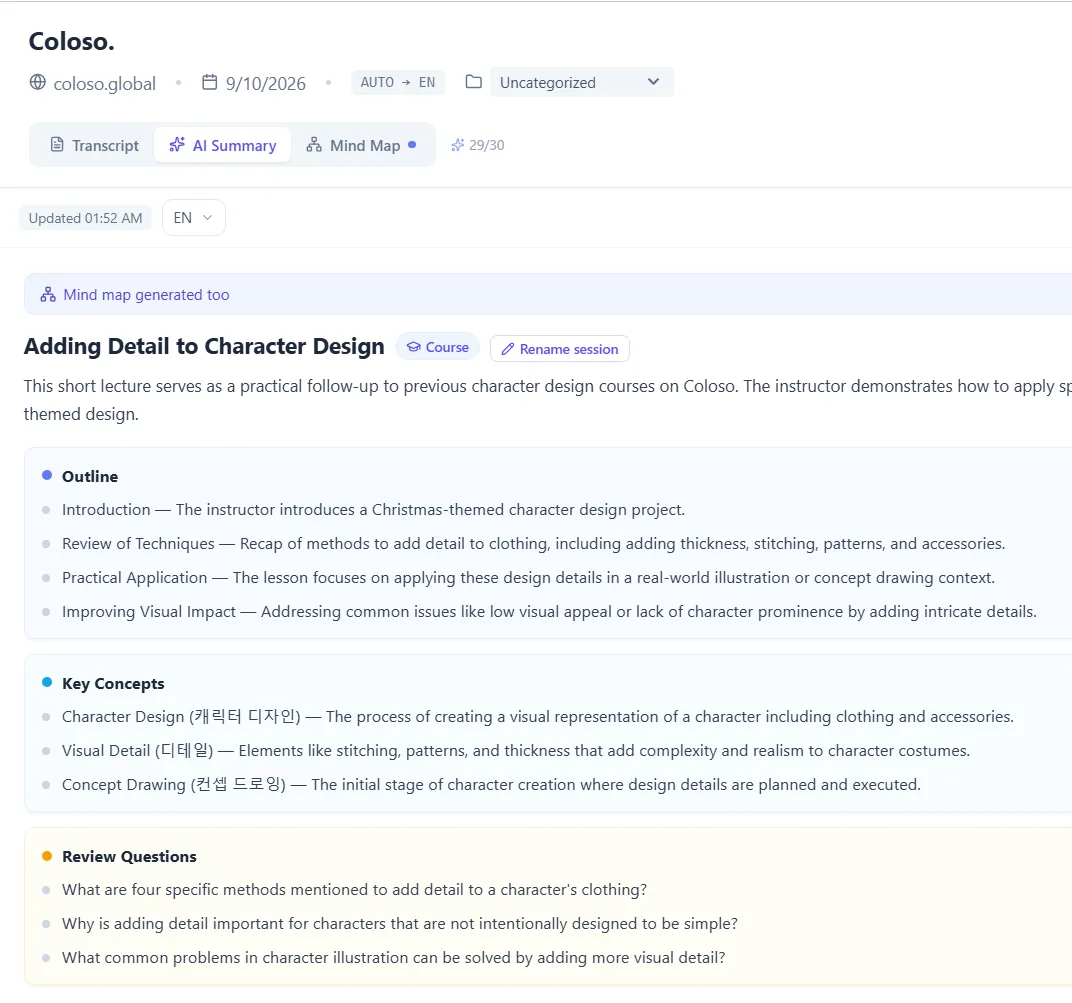
- Summary — a structured recap of what was actually said, generated once and kept with the session.
- Mind map — the same session as a tree. Click any node and the original lines behind it come up.
- Ask AI — ask questions about the session and get answers that cite the lines they came from.
All three read the transcript, so they work on any saved session — including one where you did not keep the dubbed audio.
AI credits
AI credits are separate from your translation hours. Watching a three-hour lecture spends hours; summarising it afterwards spends credits. Running out of one does not affect the other.
| Plan | AI credits | Translation hours |
|---|---|---|
| Free | 3, one time | 15 minutes total |
| Starter | 30 / month | 9 hours / month |
| Pro | 100 / month | 20 hours / month |
| Power | 300 / month | 40 hours / month |
| Ultra | 1000 / month | 80 hours / month |
A summary is generated once and kept with the session, so re-opening it later costs nothing.
Common questions
Do summaries use up my translation hours?
No. Summaries, mind maps and Ask AI run on AI credits, which are counted separately from translation hours. Using all your credits does not stop you translating, and using all your hours does not stop you summarising sessions you already have.
Can I use these on a session where I did not save the audio?
Yes. All three work from the transcript, which is saved on every session regardless of whether the dubbed audio was kept.
Where do the answers in Ask AI come from?
Only from the session you are asking about. Answers cite the lines they came from, so you can jump back to the moment in the transcript and check it yourself.
The summary says Waiting to sync.
You opened a session you have only just stopped, and it is still being saved to your account. The summary and the Mind Map become available on their own a few seconds later, without reloading the page.