Manage or cancel your subscription
Change your plan, update a card, get an invoice or cancel. All of it happens in the billing portal, which you open from inside DubTab.
Open the billing portal
- 1Open the popup and click the account icon at the top right
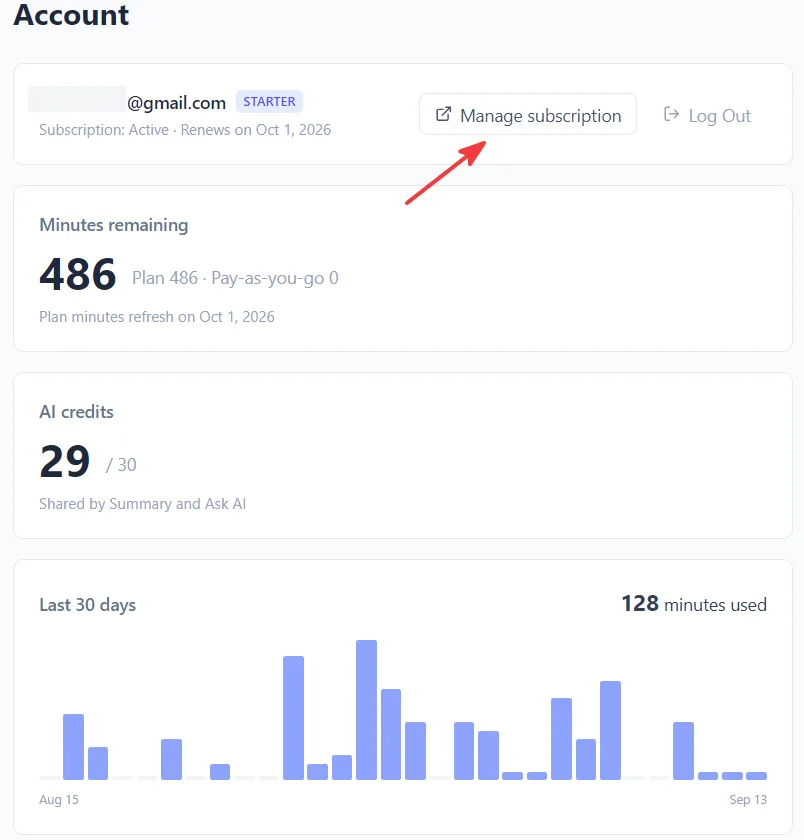
The account panel shows your plan, your next billing date and when your minutes reset.
- 2Press Manage Subscription
The billing portal opens in a new tab. If you have never subscribed there is nothing to manage, and DubTab says so instead of opening an empty portal.
- 1Click your avatar at the bottom left of the window
That opens Account Information: your email, plan, status, next billing date and minutes reset date.
- 2Press Manage Subscription
The portal opens in your browser. If you have never subscribed there is nothing to manage, and DubTab says so instead of opening an empty portal.
In the portal you can change plan, update the payment method, download past invoices and cancel.
Cancelling
Cancel any time, from the same portal. Cancelling stops the next renewal — it does not cut off the period you have already paid for, and it does not delete your history or your saved sessions.
A billing issue banner
If a payment fails, DubTab shows a banner saying the subscription is past due or unpaid, with a Manage Billing button that goes straight to the portal. Update the payment method there and the plan resumes.
While a subscription needs attention, any extra lifetime hours on the account are still available — the banner says so when that applies.
Common questions
Can I cancel at any time?
Yes. Cancel from the billing portal, reachable from Manage Subscription inside DubTab. Cancelling stops the next renewal and leaves the period you have already paid for intact, along with your history and saved sessions.
Where do I get an invoice?
In the billing portal, which lists past invoices and lets you download them. Open it with Manage Subscription — the account icon at the top right of the extension popup, or your avatar at the bottom left of the desktop window.
My payment failed and DubTab stopped working.
A failed payment puts the subscription into past due or unpaid, and DubTab shows a banner with a Manage Billing button. Update the payment method in the portal and the plan resumes. Any extra lifetime hours on the account remain usable in the meantime.